
Reason
Reason FoundationNews & Magazines
4.78.00 Reviews
- Version
- 1.0.3
- Installs
- 10.00K
- Age Rating
- Everyone 10+
Screenshots

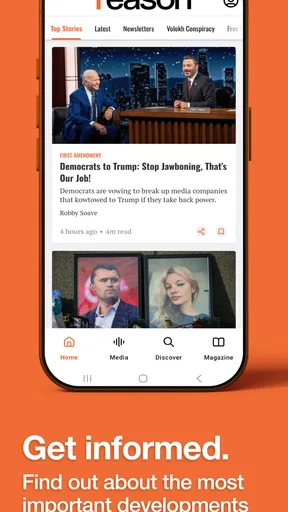
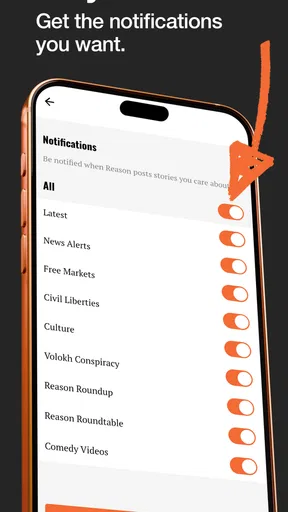
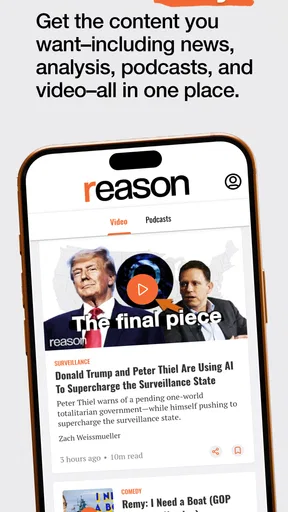


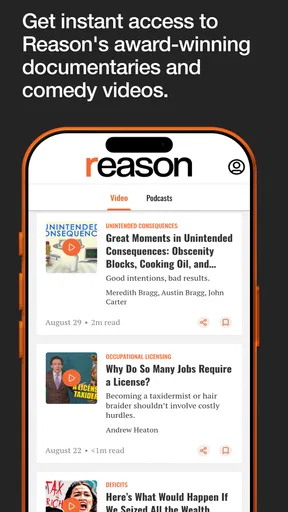

Our Review of Reason
 Analysis by Appyee
I installed Reason expecting a straightforward news reader, but its real value is more specific: it gives me a single place to follow news, ideas, videos, and podcasts through a libertarian editorial lens. That focus changes how I use it. I do not open it looking for a neutral, all-purpose replacement for every newspaper on my phone. I open it when I want commentary and reporting shaped by arguments about individual freedom, limited government, markets, civil liberties, and public policy.
That distinction matters. The app is free, belongs to the News & Magazines category, and comes from Reason Foundation. Its audience is already large enough to make the project feel established, with over 10 thousand installs and a 4.7 average from around 92 ratings. I found the combination of written material, video, and podcasts more useful than a feed made only of headlines because it lets me approach the same kind of political thinking in the format that suits the moment.
One editorial perspective, several ways to follow it
The defining capability here is not simply access to news. It is the ability to explore current affairs and political ideas within a consistent libertarian perspective, while moving between articles, videos, and podcasts. That makes the app feel closer to a compact editorial library than to a general breaking-news aggregator.
In practice, this perspective is both the reason to install it and the main question to ask before doing so. If I want to understand how a policy debate looks when individual choice and skepticism toward government power are central concerns, the app gives me a focused starting point. If I want every major viewpoint presented with equal weight, I would choose a broader news service instead.
I particularly like the way the different formats serve different levels of attention. Written pieces are better when I want to examine an argument carefully. Video is more convenient when I am taking a short break and want a visual explanation. Podcasts fit commuting, cooking, or walking. The important point is not that the app offers several media types in isolation; it is that they all reinforce the same editorial identity, so switching formats does not mean starting over with an unrelated source.
That consistency can help me build context. A short video may introduce an issue, a written article may give me more room to consider the reasoning, and a podcast may let the subject develop conversationally. I would not treat that sequence as a substitute for checking primary documents or reading opposing arguments, but it is a practical way to become familiar with a topic before doing deeper research.
What the perspective changes for the reader
A clearly stated viewpoint can be more useful than a vague claim of total neutrality. Every publication makes choices about which stories deserve attention, which questions to ask, and which consequences to emphasize. With Reason, those choices are easier to anticipate. I know that debates involving regulation, personal liberty, criminal justice, economic policy, and the reach of public institutions are likely to be approached through that particular framework.
That predictability helps me decide whether an item is relevant. A reader who already follows libertarian commentary can use the app as a convenient hub instead of checking several separate channels. A reader who normally sees only one political side can also use it deliberately as a perspective-checking tool, comparing its arguments with sources that begin from different assumptions.
Still, a perspective is not the same thing as complete coverage. The app may be a strong companion for interpreting issues, but I would not make it my only source during a fast-moving event. For urgent local updates, broad international coverage, weather, sports, or a quick headline scan, a mainstream news application with wider beats is likely to be more efficient.
How I would use it during an ordinary day
My most realistic use case is a split routine. In the morning, I would glance at the written material to find one or two subjects worth following rather than trying to consume everything. Later, I could switch to a podcast while doing something that does not require my full visual attention. In the evening, a video might provide a more accessible summary or argument when I do not feel like reading a long piece.
This workflow works because the app supports different attention levels. It does not require me to reserve a large block of time for political reading. At the same time, it rewards a more deliberate habit than endlessly scrolling through unrelated headlines. I can choose whether I want a quick introduction or a longer encounter with an idea.
One useful habit is to separate discovery from verification. I would use Reason to identify an argument or issue that interests me, then look at original legislation, official figures, court documents, or reporting from another editorial tradition before forming a firm conclusion. That is not a criticism of this app specifically; it is the sensible way to use any strongly framed news source. Here, the clear viewpoint makes that second step especially important and especially easy to remember.
Where the mixed media approach helps most
The combination of formats is valuable for people who consume news inconsistently. Someone who rarely finishes articles may still keep up through podcasts or videos. Someone who dislikes commentary delivered as audio can stay with written work. I also see value for readers who want to revisit a subject in a different form: a written explanation can be easier to scan, while audio can make a complicated discussion feel more approachable during routine tasks.
There is a trade-off in this design. More formats can encourage shallow sampling. It is easy to watch a short item, hear a few minutes of a podcast, and feel informed without checking the details behind the argument. I found that the app works best when I use it as a guided route into a subject, not as permission to stop investigating.
Another practical consideration is attention. Podcasts are convenient, but they are not ideal when I need to compare claims or remember precise wording. Articles are better for that. Videos may be the easiest entry point, but they can make an argument feel more complete than it is simply because the presentation is engaging. Choosing the format based on the task, rather than personal habit alone, makes the experience more useful.
The best scenario: building a viewpoint without losing curiosity
The strongest scenario for Reason is a reader who wants regular exposure to libertarian analysis but does not want to depend on a single format. Imagine someone following a debate about a new government rule. They might start with a video to understand the central dispute, listen to a podcast while commuting to hear the issue discussed at greater length, and then read an article when they want to slow down and examine the reasoning.
That sequence creates a manageable learning loop. It is more intentional than opening a general news feed and jumping randomly between unrelated headlines. The reader can stay with one theme while changing the way it is consumed. For me, that is the app’s clearest everyday advantage.
It can also suit a student, writer, or policy-minded reader who needs to understand how a particular ideological community frames public questions. The app is not only useful when I agree with the conclusion. Sometimes the benefit is seeing which assumptions are being prioritized, what costs are being highlighted, and which government solutions are being questioned. That makes it a worthwhile addition to a broader reading routine even for someone who does not identify as libertarian.
However, I would not recommend it as the first or only news app for a person who wants a quick, politically balanced overview of the entire day. Its focused identity is an advantage for the right reader, but it narrows the role it should play. Someone mainly interested in local reporting, international alerts, business prices, entertainment, or sports will probably get more immediate value from a specialized or general-purpose alternative.
Trade-offs that become clear after regular use
The first trade-off is viewpoint versus breadth. A consistent editorial approach makes the app coherent, but it also means I need another source when I want a wider range of interpretations. I would rather know that limitation clearly than mistake a focused publication for a complete news ecosystem.
The second is depth versus convenience. Having articles, videos, and podcasts makes it easier to fit the app into daily life, yet convenience can reduce concentration. I get the best results when I save the most important questions for a format that allows careful attention. For a complicated policy subject, I would choose reading over casual listening and then compare what I learned with independent material.
The third is discovery versus confirmation. If I already agree with libertarian ideas, the app may make it very easy to keep consuming arguments that feel familiar. That can be comfortable, but it is not always intellectually productive. I would use it to understand a perspective, then intentionally seek disagreement. Readers who know they tend to stay inside one information bubble should be especially disciplined about that step.
There is also a difference between commentary and immediate reporting. The app’s identity makes it attractive for ideas and analysis, but a person who needs a rapid, broad snapshot of developing events may prefer a conventional newswire-style service. Reason can sit beside that kind of app very well; it does not need to replace it.
What the app’s basic details mean for installation
Reason is free, which removes the main barrier to trying it. The age guidance is Everyone 10+, so it is positioned for a general audience with some maturity expected around news and public affairs. I would still make my decision based on the subject matter rather than the age label alone, since political reporting and commentary can raise difficult or emotionally charged issues even when the app is broadly accessible.
The current version is 1.0.3, and the app runs on Android 8.0 or newer. That makes it approachable for people who keep an older Android phone, although anyone using a device below that system requirement will need a different way to follow the material. I appreciate that the technical entry point is not limited to only recent hardware.
The developer is Reason Foundation, and the app’s existing ratings suggest that early users have responded positively overall. I treat the 4.7 average as a useful signal rather than a guarantee that every reader will enjoy it. Ratings often reflect whether the app matches expectations, and expectations matter especially here: a person looking for libertarian news and commentary is judging a different product from someone looking for politically neutral headline aggregation.
Who gains the most from this focused approach
The clearest match is someone who already wants a libertarian perspective and would like written, spoken, and visual material in one place. That reader is likely to appreciate the reduced effort of finding relevant content across separate services. The app also suits people who prefer to follow ideas over time rather than consume only isolated headlines.
It can be useful for a curious reader who disagrees with the perspective as well. I often learn more from a source when I know its starting point, because I can evaluate the argument instead of guessing at its assumptions. Used alongside other publications, the app can broaden political understanding rather than narrow it.
It is less suitable for someone who wants one application to cover every kind of news. I would skip it if my priority were local emergency information, general entertainment headlines, sports results, or a deliberately mixed editorial feed. I would also hesitate to recommend it to anyone who does not want opinion and analysis shaped by a recognizable political philosophy.
For families, the age guidance makes the app broadly approachable, but I would still encourage shared discussion rather than passive consumption. News apps are more valuable when younger readers learn to distinguish reporting, interpretation, evidence, and persuasion. Reason can be a useful example for that exercise precisely because its editorial perspective is visible.
My final assessment after weighing the role it actually fills
I see Reason as a focused companion for people who want libertarian news, ideas, videos, and podcasts without having to assemble that mix themselves. Its strongest capability is the way one editorial perspective carries across several formats. That gives the app a recognizable purpose and makes it easier to fit into a day divided between reading, listening, and watching.
I would recommend installing it if you want to understand or regularly follow that perspective, especially if you enjoy moving between articles and audio rather than relying on headlines alone. I would pair it with broader and opposing sources, not because its focus is a flaw, but because a focused source works best when its arguments are part of a larger information routine.
My honest recommendation is to treat Reason as a perspective-rich companion, not as your entire news diet. For the right reader, that is a meaningful strength: the app can turn scattered interest in public affairs into a repeatable habit. For someone seeking neutral, comprehensive, or highly local coverage, another news app will be the better primary choice. Its free access makes the decision easy, and its clear identity makes it equally easy to know whether it belongs in your daily rotation.
Verdict
Strengths of Reason
- Clean interface makes task management quick to learn.
- Flexible reminders help keep important tasks visible.
- Recurring tasks reduce the need for manual planning.
- Synchronization keeps lists accessible across supported devices.
- Useful for organizing personal routines and daily priorities.
Limitations of Reason
- Some advanced features may require a paid subscription.
- Notification reliability can vary with aggressive battery settings.
- Large task lists may feel less convenient to browse.
- Limited collaboration tools may not suit team-based planning.
- Requires regular setup to deliver the best productivity benefits.
Similar Picks in This Category
View All
Google News - Daily Headlines
Google LLC4.0

X
X Corp.4.8

Flipboard:Your Social Magazine
Flipboard3.4

Opera News: breaking & local
Opera4.5

Hindi News by Dainik Bhaskar
Dainik Bhaskar Group4.0

Way2News Daily News App
Way2News ( Formerly Way2SMS )4.6
Frequently Asked Questions
What is Reason, and what can I use it for?
Reason is an app designed to help users organize ideas, information, or daily activities in a more structured way. Depending on the tools available in the version you install, it may be useful for note-taking, planning, reviewing information, or managing personal tasks. Before downloading, check the official description carefully because features and supported functions can vary between Android and iOS versions.
Is Reason free to download and use?
Reason may be available as a free download, but some features could require a subscription, one-time purchase, or in-app payment. I recommend checking the pricing section in the Google Play Store or Apple App Store before installing it. Also review whether the free version includes advertisements, limits usage, restricts advanced tools, or offers only a temporary trial period.
Does Reason require an account or an internet connection?
The requirements depend on how Reason handles saved data and connected features. You may be able to use basic functions offline, while synchronization, backups, sharing, or other online tools may require an internet connection and an account. During testing, users should look for sign-in prompts and verify whether their information is stored locally, in the cloud, or both.
Is Reason safe and suitable for storing personal information?
Reason should be downloaded only from the official Google Play Store or Apple App Store to reduce the risk of installing an altered version. Before entering private information, review its privacy policy, requested permissions, data collection practices, and account security options. Avoid storing highly sensitive details unless the app clearly explains how data is protected and deleted.
Which devices support Reason, and can I transfer my data?
Reason’s compatibility can differ according to your operating system, device model, and software version. Check the store listing for minimum Android or iOS requirements before downloading, especially if you use an older phone or tablet. If you plan to change devices, confirm whether Reason supports cloud synchronization, account-based recovery, export tools, or manual backups.
